How to Renew an SSL Certificate: Manual vs Automatic Renewal

Whether your website just started showing a security warning or you're renewing ahead of schedule, SSL certificate renewal is something every site owner runs into sooner or later — and it's one of the most common, most avoidable ways a website ends up looking untrustworthy. This guide covers everything you need to renew an SSL certificate, whether you're doing it manually or want to move to automatic renewal for good.
What Determines Your SSL Certificate Validity?
Every SSL certificate is issued for a fixed period of time, known as its validity period, after which it must be renewed or replaced. This isn't set by individual providers — it's governed by the CA/Browser Forum, the industry body that sets the rules all Certificate Authorities must follow.
This is a live, changing area worth knowing about if you're managing renewals yourself. As of March 15, 2026, the maximum validity period for any newly issued public SSL certificate dropped to 200 days, down from the 398 days that was standard for years. It's scheduled to shrink further, to 100 days from March 2027 and eventually 47 days by 2029. In practice, this means manually renewed certificates now need attention several times a year rather than once — which is exactly the kind of maintenance task that's easy to lose track of.
How to Check Your SSL Certificate's Expiry Date
Before you can renew, it helps to know exactly when your certificate expires. A few ways to check:
● Click the padlock icon in your browser's address bar, then view certificate details — most browsers show the expiry date directly
● Use a free online SSL checker tool by entering your domain name
● Check your hosting control panel, where most providers display certificate status under a security or SSL section
● Run a command-line check if you manage your own server (e.g., `openssl s_client -connect yourdomain.com:443`)
Whichever method you use, it's worth checking a few weeks ahead of the deadline rather than the day it expires.
What Happens When an SSL Certificate Expires
Once a certificate passes its expiry date, browsers stop trusting the encrypted connection to your site. Visitors won't just see a small warning — depending on the browser, they may be shown a full-page alert reading something like "Your connection is not private," with an extra click required just to proceed. Many visitors won't take that extra step, which means an expired certificate can function almost like a site outage for a meaningful share of your traffic.
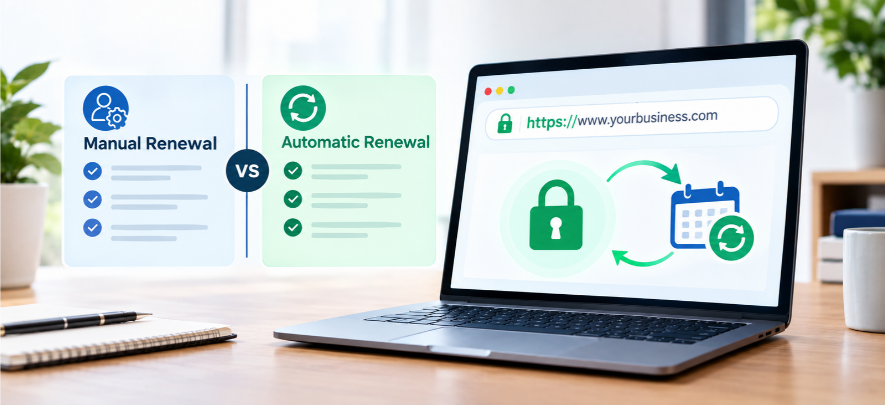
Manual vs Automatic Renewal
Renewing manually generally involves generating a new certificate request, completing domain validation again, and installing the reissued certificate before the old one lapses. If you're on a free certificate authority like Let's Encrypt, this cycle repeats every 90 days by default, since Let's Encrypt renewal is intentionally short-lived to encourage automation.
How to Renew an SSL Certificate Manually
● Generate a new Certificate Signing Request (CSR) if your provider requires one
● Complete domain validation again (usually an email confirmation or a DNS/file-based check)
● Download the newly issued certificate
● Install it on your server, replacing the expiring one
● Verify the site loads correctly over HTTPS with no browser warnings afterward
Renewing an SSL Certificate in cPanel
If your hosting uses cPanel, renewal is usually more straightforward: most cPanel setups include AutoSSL, which automatically reissues supported certificates before they expire. Where AutoSSL isn't enabled, you can renew manually from the SSL/TLS Status section by re-running domain validation and reinstalling the certificate.
Certbot Renew Command (Self-Managed Servers)
If you manage your own server with Let's Encrypt, renewal is typically handled with Certbot, the standard client for issuing and renewing Let's Encrypt certificates. The core command is simply `certbot renew`, which checks all certificates on the server and renews any nearing expiry. Most self-managed setups schedule this as an automatic recurring task (e.g., a cron job) so it runs without manual intervention.
Troubleshooting: Fixing an Expired SSL Certificate Error
If you're already seeing an expired certificate error, the fix is usually straightforward once you know where to look:
● Confirm the exact expiry date first — this rules out other causes like a domain mismatch
● Reissue and reinstall the certificate through your provider or hosting panel
● Clear your browser cache and reload, since browsers sometimes cache the old certificate warning briefly after a fix
● If the "Your connection is not private" warning persists after reinstalling, double-check that the new certificate is installed on the correct domain, including any `www` vs. non-`www` mismatch
SSL Auto-Renewal: The Easier Way
Given how often certificates now need renewing, automatic renewal isn't just a convenience anymore — it's becoming the practical default. Managed SSL renewal hosting handles the entire cycle for you: checking expiry, reissuing, and reinstalling, all without a manual step or a date to track.
If your website is hosted on GlobalLinker, this is exactly what's included with Premium Plus membership — a free SSL certificate that renews automatically, so the shortening validity periods across the industry are no longer something you need to personally keep up with.
→ See how automatic SSL renewal works on GlobalLinker
FAQ
How often do SSL certificates need to be renewed?
It depends on the certificate authority and current CA/Browser Forum rules. As of 2026, the industry maximum is 200 days for newly issued certificates, though many free certificates (like Let's Encrypt) are issued for just 90 days. Certificates with automatic renewal handle this in the background regardless of the cycle length.
How do I get an SSL expiry notification?
Most Certificate Authorities and hosting providers send an email reminder in the weeks before expiry. You can also set your own reminder using a third-party SSL monitoring tool, or avoid the need for a reminder altogether by switching to a certificate with automatic renewal.
Image source: Open AI
Disclaimer: The views and opinions expressed in this article are those of the author and do not necessarily reflect the views, official policy or position of GlobalLinker.
My endeavour is to help business owners digitise, network and grow easily. Towards this I help organise webinars, curate articles and answer queries via our help centre.